Tennis · Apple Watch

How fast do you really swing?

MyPowerTennis measures your swing speed right on your Apple Watch – no camera, no tripod, no setup. Put the Watch on, tap Start, swing. Speed, contact point and a Stroke Score from 0–100 appear instantly on Watch and iPhone.

📷 No camera needed ⚡ Impact timing at 800 Hz 🎾 km/h or mph
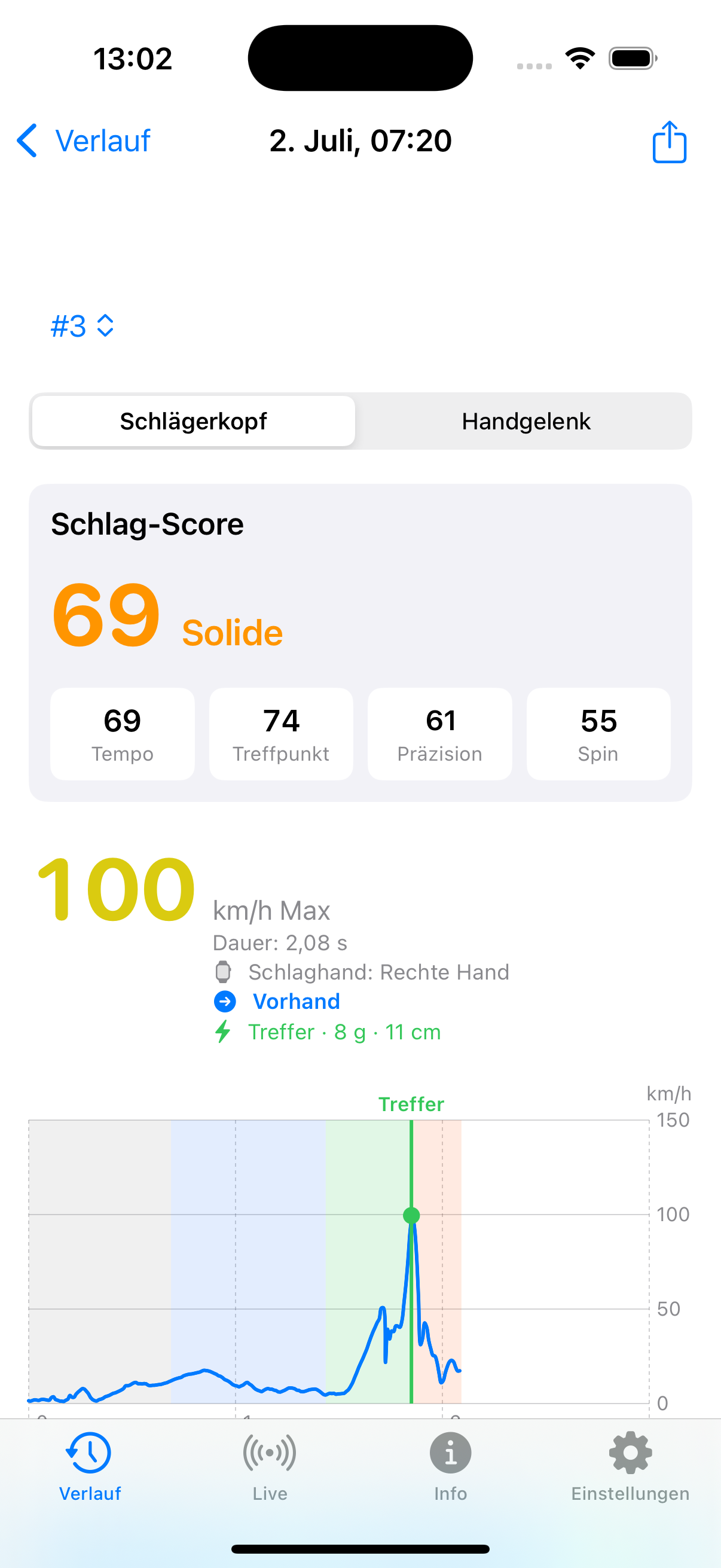
MyPowerTennis Stroke Score view on iPhone
100 km/h
racket head
What MyPowerTennis measures

Two speed metrics, precise timing,
real swing analysis

🏆

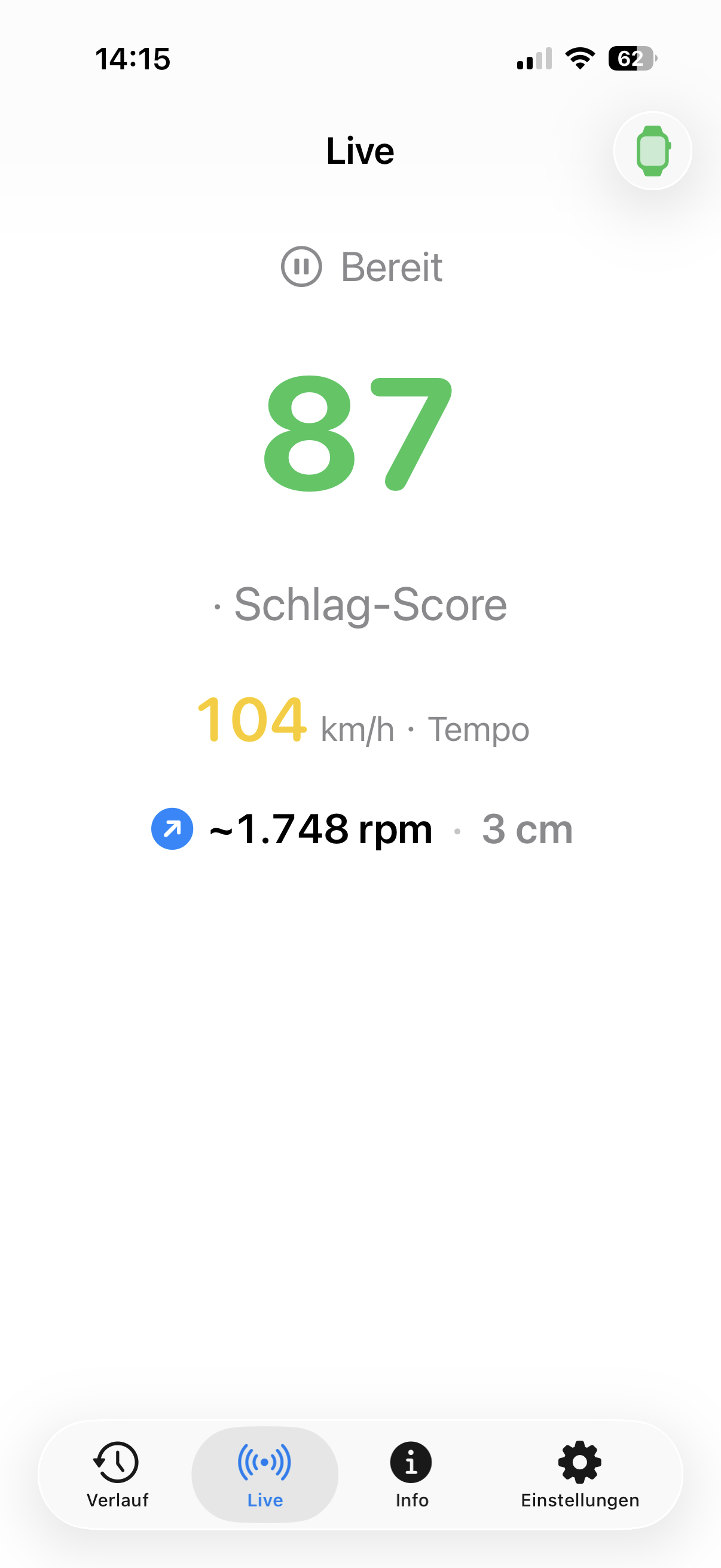
Stroke Score 0–100

One number per stroke – from speed, contact point, precision and spin. Compare strokes and sessions at a glance.

Swing speed in km/h

Racket-head speed (radius-based, |ω| × radius) and drift-damped wrist speed – two methods, in km/h or mph.

🎯

Impact timing 800 Hz

On Apple Watch Series 8/9/10 and Ultra: precise contact moment (±1–5 ms), acceleration and follow-through time, timing index.

🌀

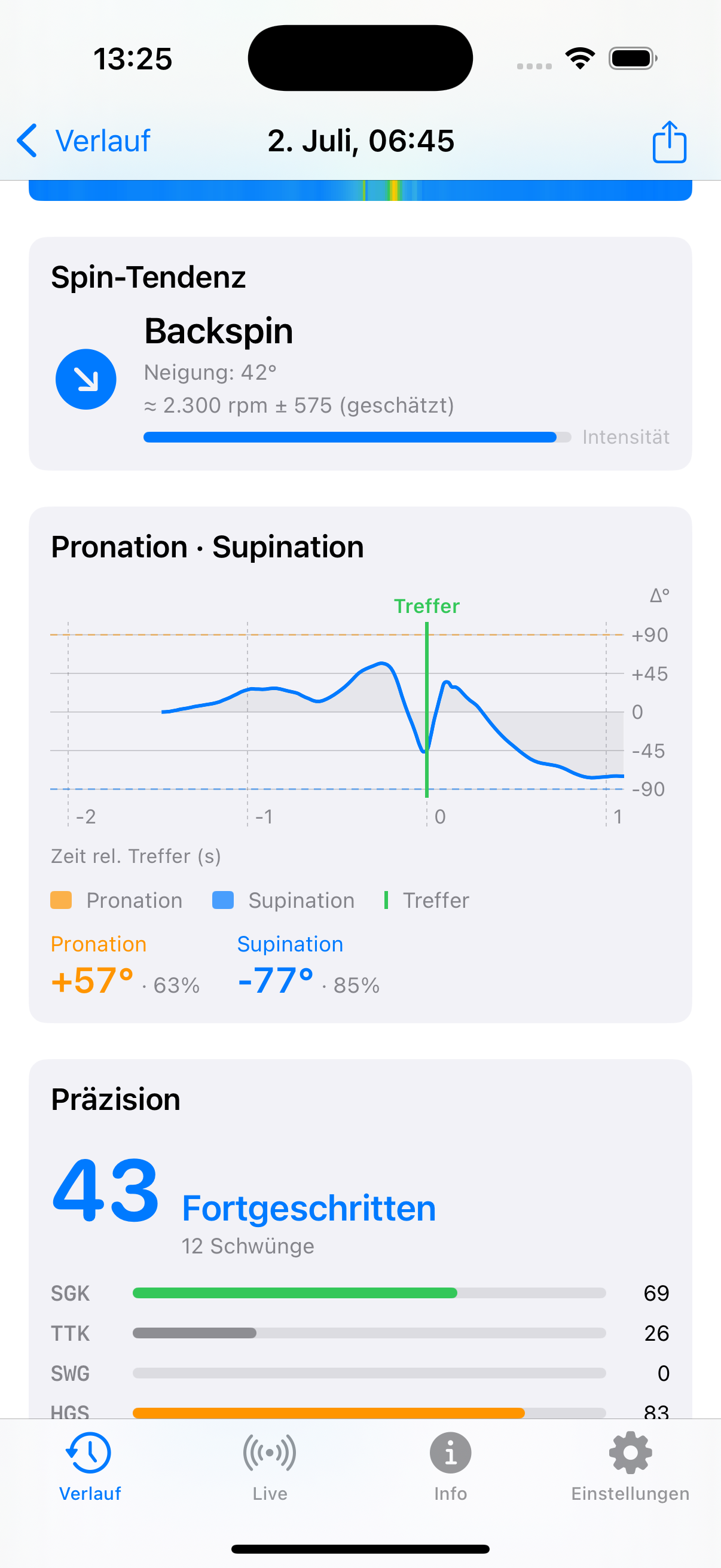
Spin tendency

Topspin, flat or backspin on groundstrokes – as an rpm range when the data allows.

📈

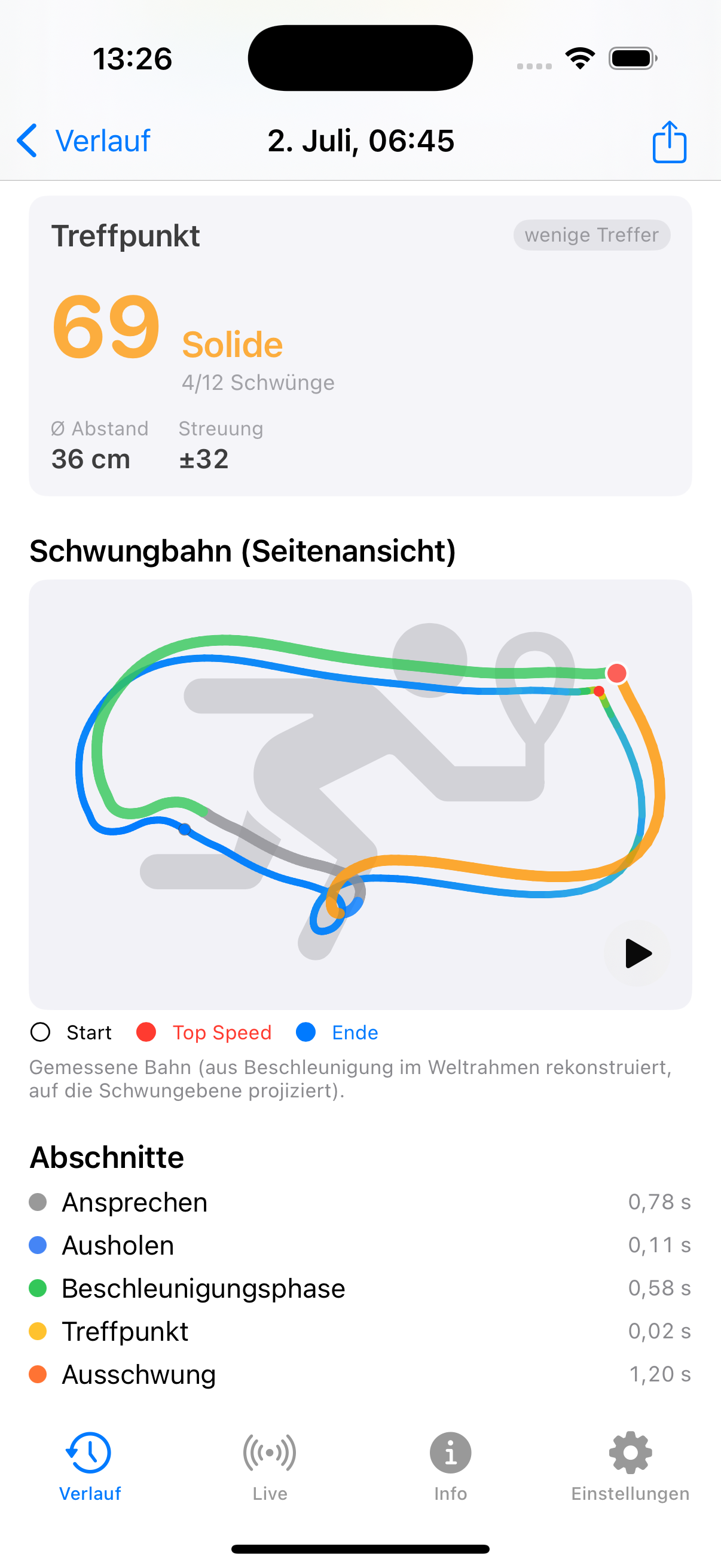
Swing path & precision

A reconstructed 2D path of the wrist, colored by speed. The precision score rates the consistency of your strokes – independent of raw speed.

📊

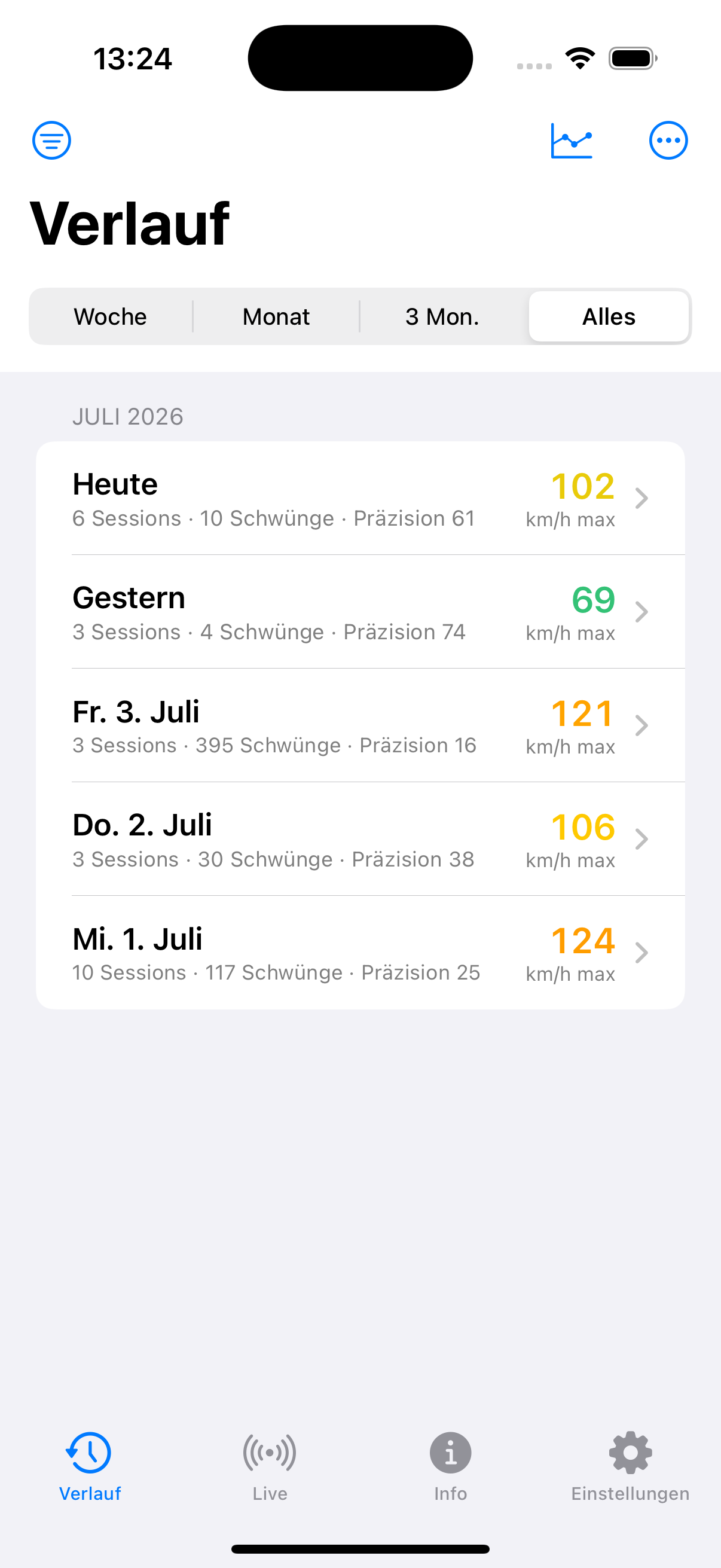
History & export

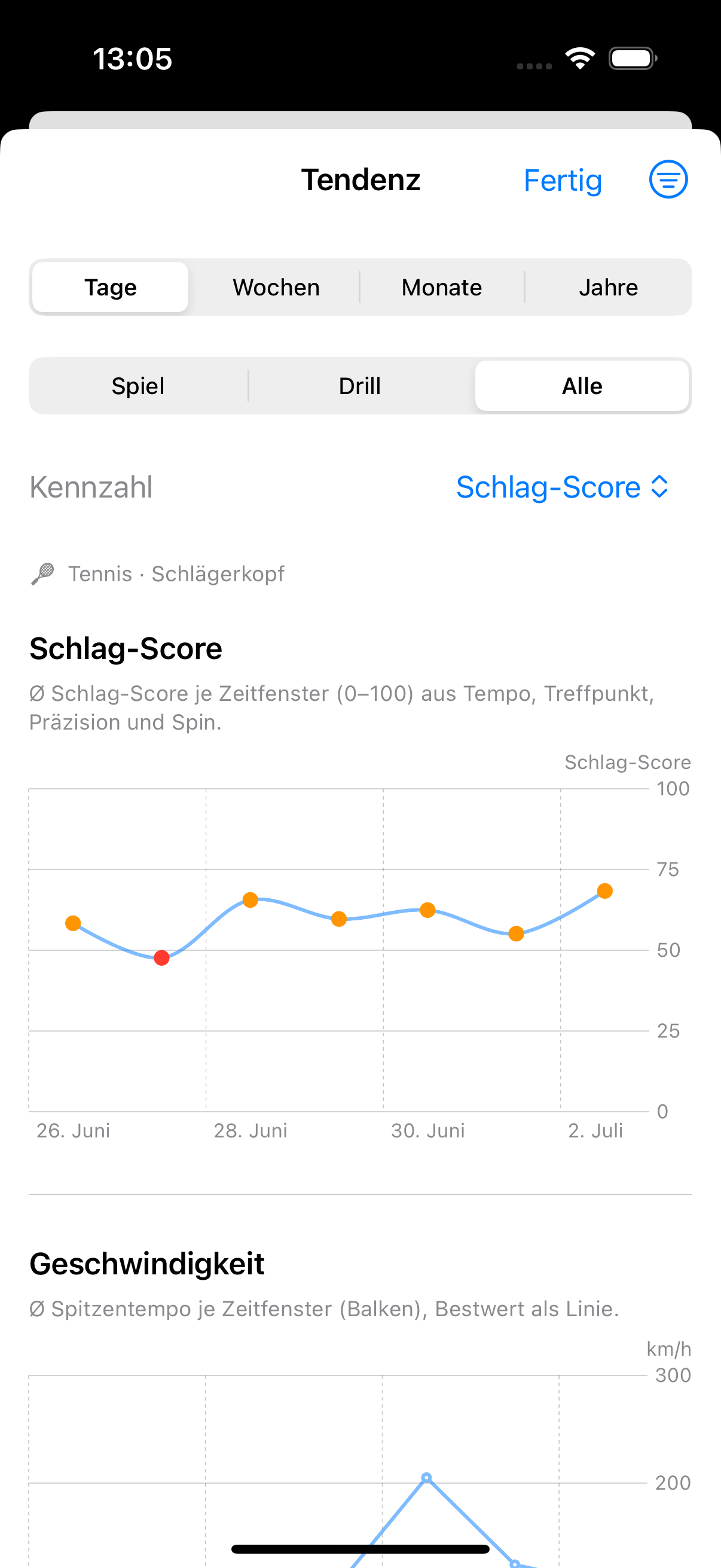
Every session is saved – neatly grouped by day. Trend over weeks, filter by stroke type. Export as CSV, PDF or JSON archive.
Inside the app

Everything at a glance – one swipe away

From your latest swing to the long-term trend.

Stroke Score

Stroke Score per shot

History

History by day

Spin & pronation

Spin & pronation

Swing path

Swing path

Trend

Your trend, day by day

Live speed

Live speed in real time

Honest about accuracy

We measure the racket – not the ball

Transparency over promises: MyPowerTennis gives reliable, relative speed values to compare and improve – it is not a lab instrument.

  • Racket-head speed is a radius-based estimate (±10–20 %); the radius can be matched to your racket.
  • Wrist speed ±5–15 %, drift-damped integration.
  • No substitute for video analysis or professional coaching.
Requirements
  • Apple Watch Series 6 / SE (2nd gen) or later with watchOS 11 (Series 8+ for 800 Hz timing)
  • iPhone/iPad running iOS or iPadOS 18.2 or later
  • watchOS 11.0 or later; app installed on both Watch and iPhone

The Watch buzzes once you reach your target speed (default 80 km/h, adjustable). The iPhone shows your latest swing in real time.

The app, explained

How MyPowerTennis works

All features at a glance – explained in one minute. And here you can see the app in action on court.

Find out how much speed is really in your swing.

Put the Watch on, tap Start, swing.